Hello world! This Republic day I tried to do something creative and made an Indian Flag with Turtle using Python.
In this Blog article, we will learn how to Draw Indian Flag. We will see the implementation in Python.
Check out the Repository for Ultimate Resource in python. Drop a star if you find it useful! Got anything to add? Open a PR on the same!
You can refer to my YouTube video Tutorial to see a working tutorial for better Understanding and a step by step Guide of the same.
What will be covered in this Blog
1. Turtle Introduction
2. Creating an Indian Flag with Turtle
Let's get started!
What is Turtle?
Turtle is a pre-installed Python library. It enables users to create pictures and shapes by providing them with a virtual canvas. The onscreen pen that you use for drawing is called as turtle.
The turtle has three attributes: a location, an orientation (or direction), and a pen.
Moving the Turtle Head
The turtle can move in four directions:
- Forward
- Backward
- Left
- Right
If you wish to know more about it, you can refer to Turtle Documentation. Use this link to navigate to the documentation.
Now that you are familiar with with our agenda and have acquired basic knowledge of Turtle module, we can move forward to the coding section.
Time to Code!
You can find all the code at my GitHub Repository. Drop a star if you find it useful.
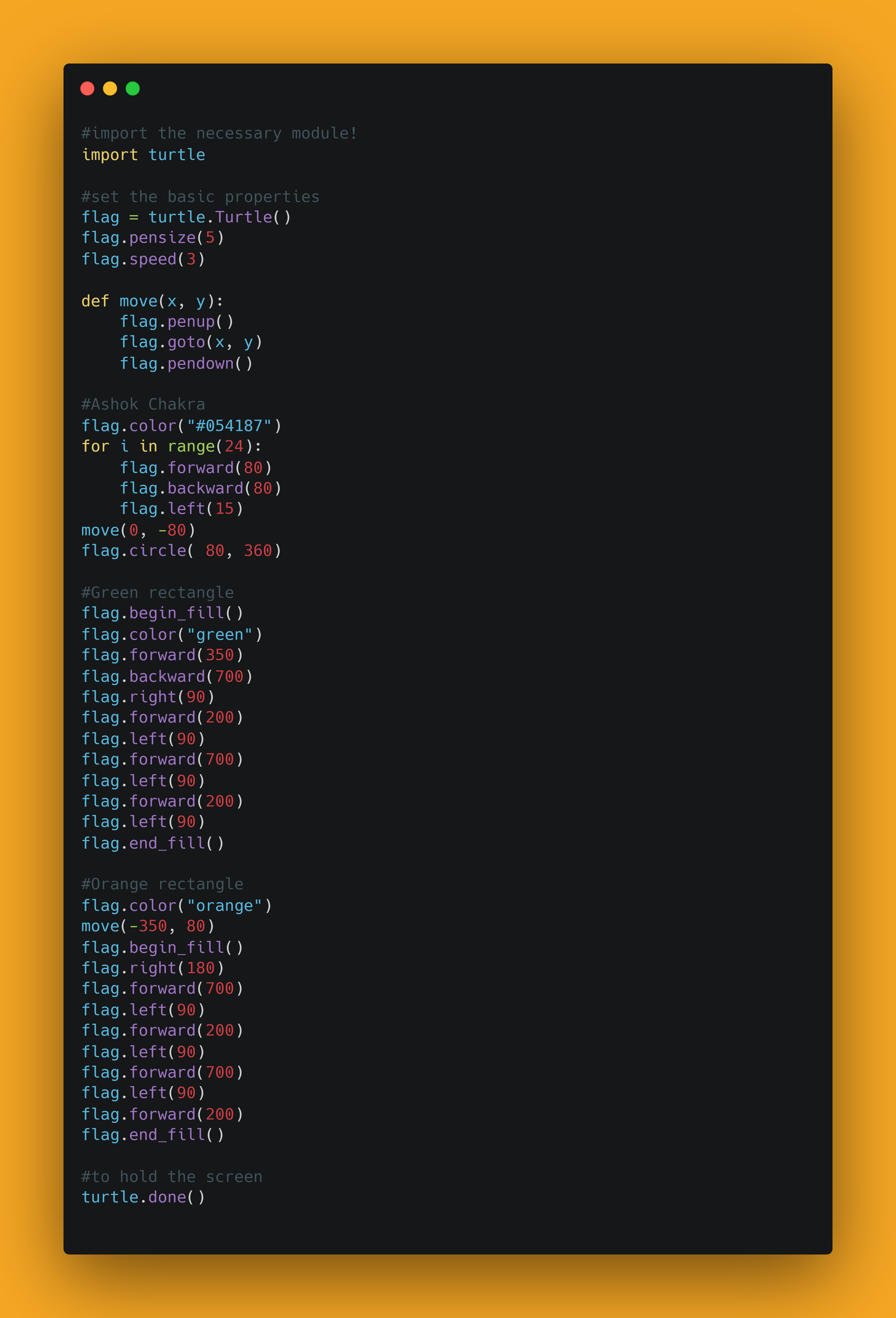
In order to access the Python library, you need to import it into your Python environment, use the following command to import turtleit in your python script.
import turtle
Starting out, let's create an instance of turtle.
flag = turtle.Turtle()
Now let's define some properties,
- Let's set the speed as
3usingspeedmethod, that means the flag will not just appear on the screen, the drawing will have some animation. - If you wish to change the background color, you can use the
bgcolormethod, by default it is white. - You can adjust the pen's thickness using
pensizemethod, it will be slightly bold.
turtle.speed(3)
#turtle.bgcolor("black")
turtle.pensize(5)
Now let's define a function to define for movements, I am calling it as draw.
def draw(x, y):
    flag.penup()
    flag.goto(x, y)
    flag.pendown()
So far so good. Now, let's draw the Ashok Chakra, we need to pick the right colour for it.
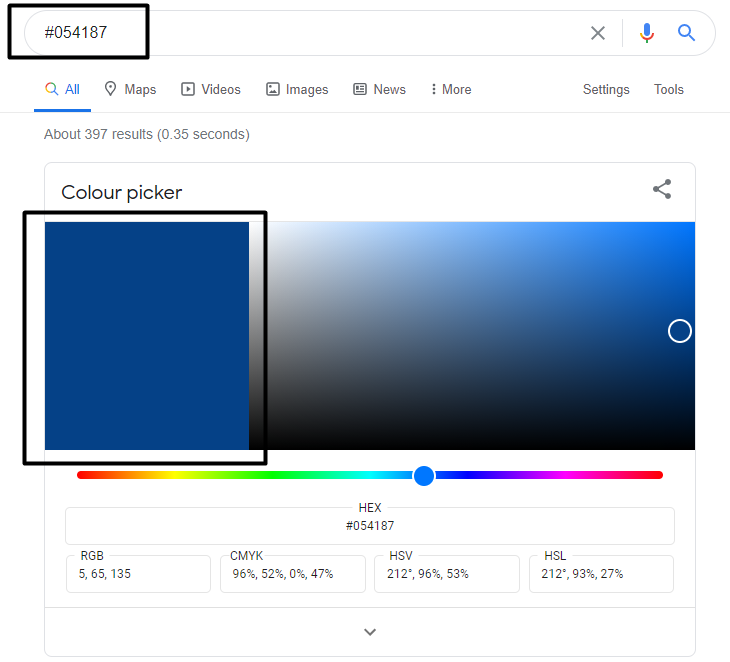
flag.color("#054187")
Now, let's draw the 24 strokes, so for this, I will run the loop 24 times
If we start from center, we need to cover 360 degrees, and we got 24 strokes, so that becomes 15 degree each. We start out from center, draw a stroke using forward , track back to center using backward and turn 15 degrees. we repeat the same process 24 times.
for i in range(24):
    flag.forward(80)
    flag.backward(80)
    flag.left(15)
draw(0, -80)
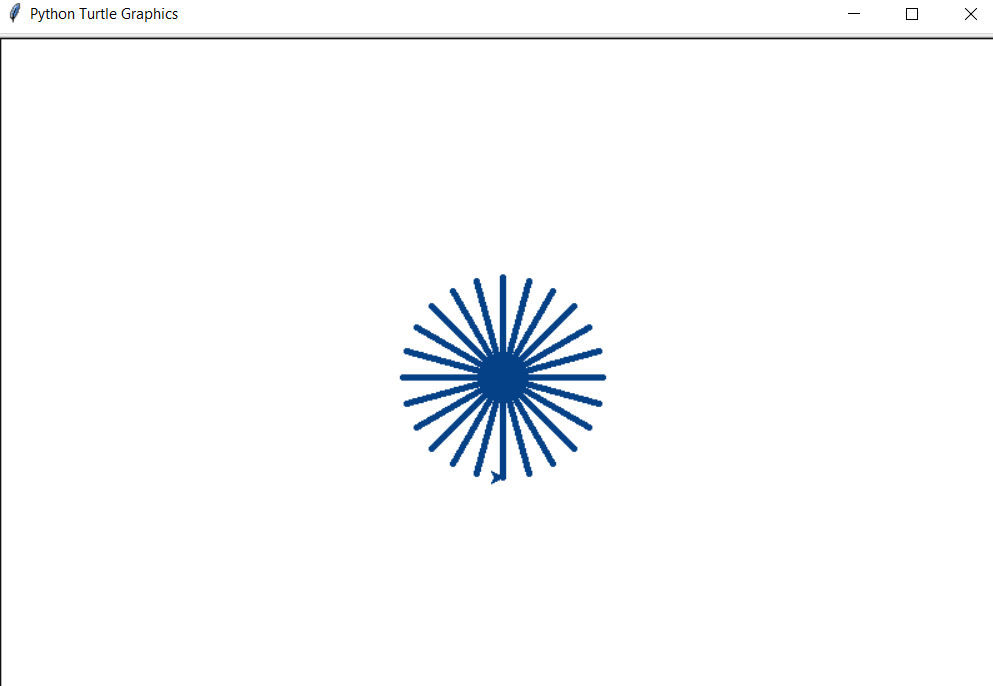
Once done, we can now draw a circle at the edges of the strokes. So earlier, we moved forward and backward by 80, so we need to consider same length for the radius of circle i.e 80.
flag.circle( 80, 360)
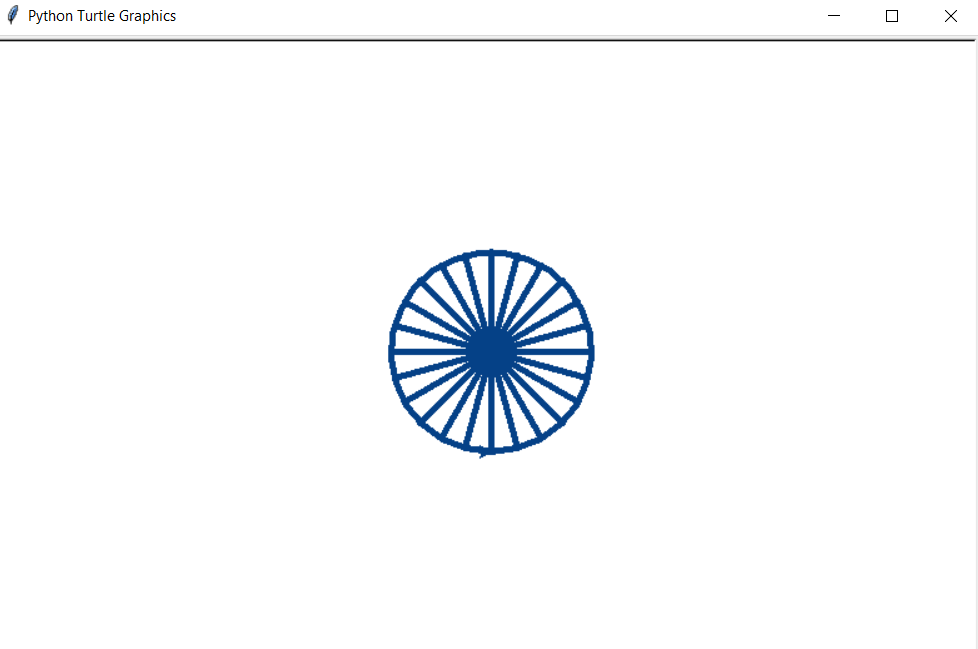
Now, if you observe, our turtle head is pointing at the bottom of a stoke, so
- let's move say 300 or 400
- trace backwards twice of it.
- We now need to move our cursor by 90 degree here to we start to face downwards.
- Next we move 200 in downward direction.
- So to complete our rectangle, we need to again turn by 90 left
- now we are to face towards left and move twice as distance here
- turn again by 90 degree
- Finally move up to complete the rectangle.
Let's specify the color here as green
flag.color("green")
Next, let's make a green rectangle's outline.
flag.begin_fill()

flag.forward(350)
flag.backward(700)
flag.right(90)
flag.forward(200)
flag.left(90)
flag.forward(700)
flag.left(90)
flag.forward(200)
flag.left(90)

flag.end_fill()
To fill it entirely with green colour, we are using begin_fill and end_fill method here. let's have a look at what we have got so far!
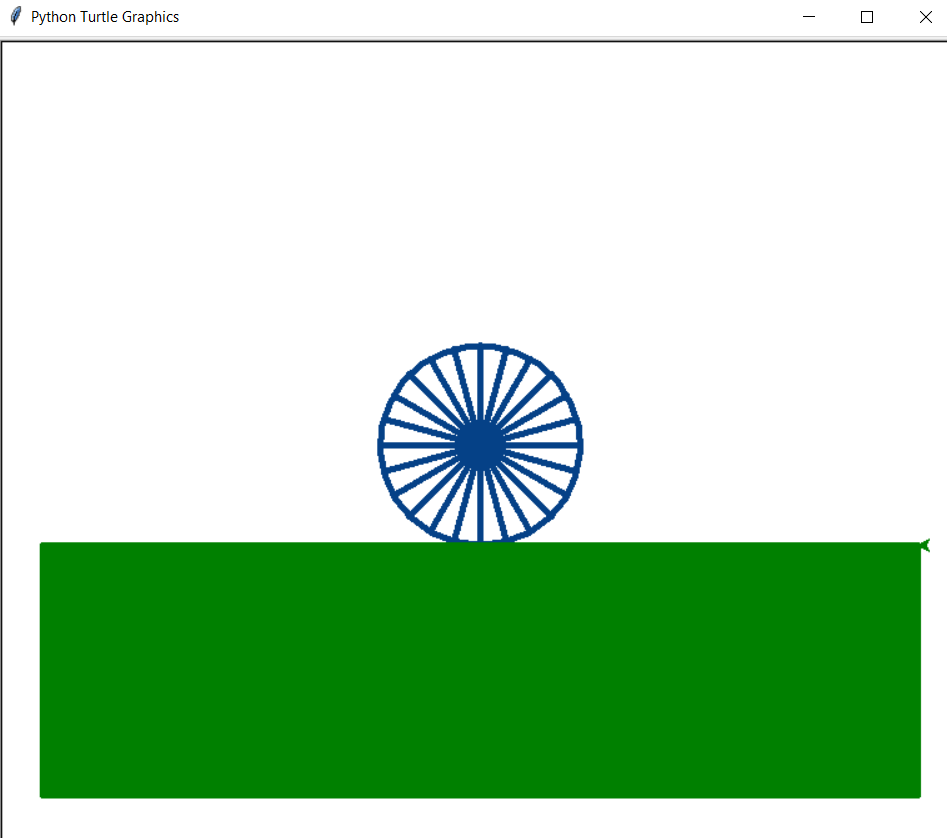
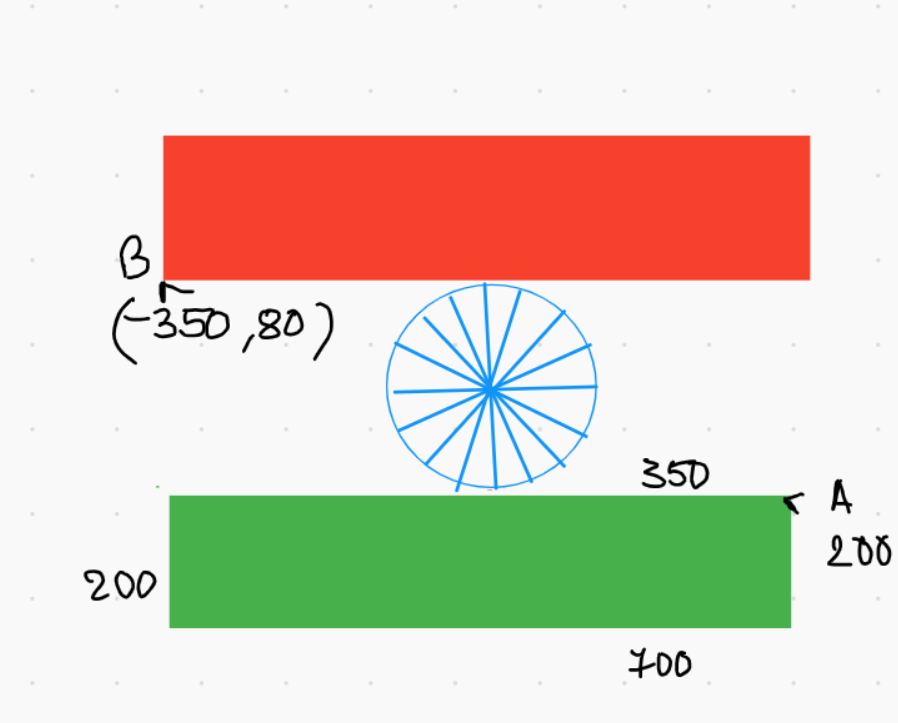
To fill it entirely with green colour, we are using begin_fill and end_fill method here. Now, it's time to draw the last part, the second rectangle. So, right now, we have cursor at A and we need it at B.
To fill it entirely with green colour, we are using begin_fill and end_fill method here.
Now, it's time to draw the last part, the second rectangle.
- Let's change the colour to
orange. - And right now, we have cursor at A and we need it at B, let's call the
drawmethod for the same.
flag.color("orange")
draw(-350, 80)
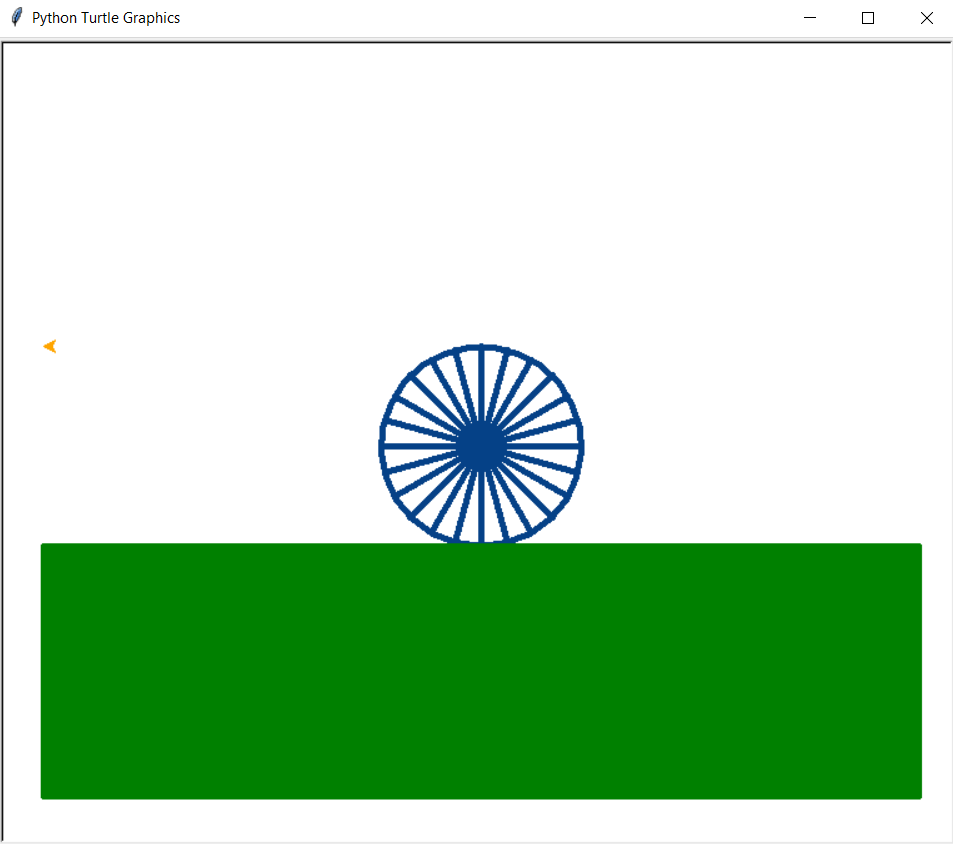
Let's follow same procedure and draw orange reactangle.
flag.begin_fill()

flag.right(180)
flag.forward(700)
flag.left(90)
flag.forward(200)
flag.left(90)
flag.forward(700)
flag.left(90)
flag.forward(200)

flag.end_fill()
It should look something like this.
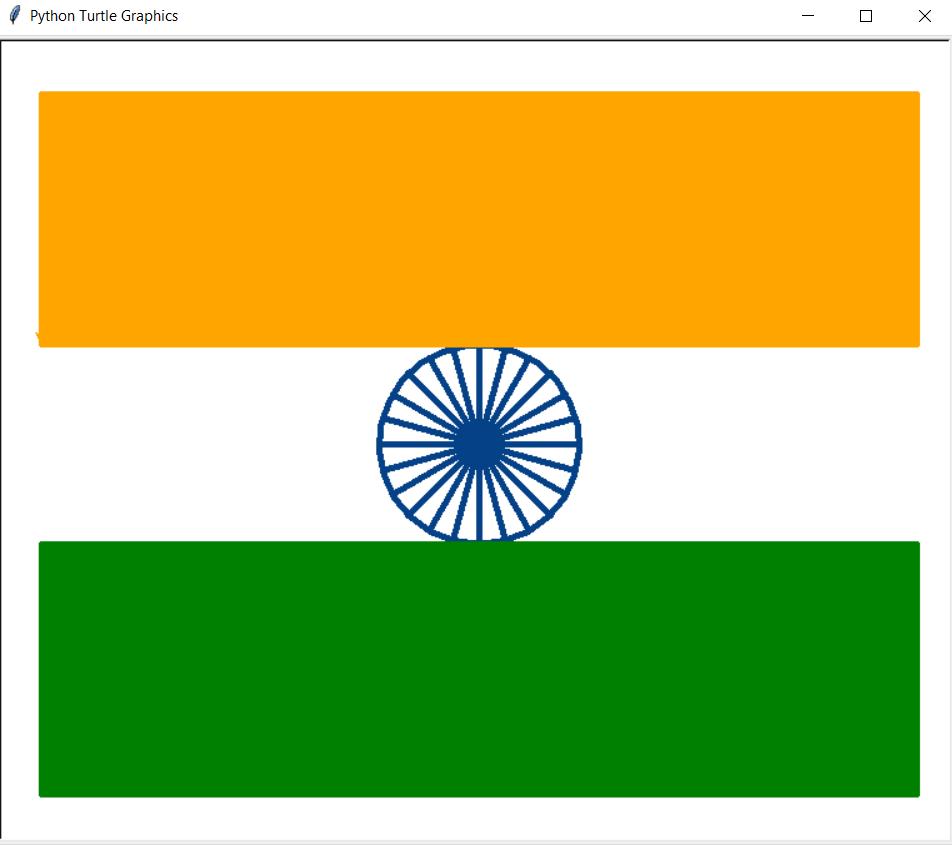
With these steps, we have successfully Drawn an Indian Flag using Python. That's it!
Simple, isn't it? Hope this tutorial has helped. I would strongly recommend you to Check out the YouTube video of the same and don't forget to subscribe my Channel.
You can play around with the turtle library and even explore more features.
You can find all the code at my GitHub Repository. Drop a star if you find it useful.
Thank you for reading, I would love to connect with you at Twitter | LinkedIn.
Do share your valuable suggestions, I appreciate your honest feedback!
You should definitely check out my other Blogs:
- Python 3.9: All You need to know
- The Ultimate Python Resource hub
- GitHub CLI 1.0: All you need to know
- Become a Better Programmer
- How to make your own Google Chrome Extension
- Create your own Audiobook from any pdf with Python
- You are Important & so is your Mental Health!
Resources:
- https://docs.python.org/3/library/turtle.html
See you in my next Blog article, Take care!!
About the author
Comments
Join the discussionHave done similar with HTML, CSS and some JS Checkout if someone interested https://codepen.io/imvpn22/pen/yLamLby
Thank you
Artistic Effects to my masterpieces by Python, carry on Ayushi👨🏻🎨
Thank you so much
Great work!!
Thank you Anurag !
Nice!!
Thank you Akshat Sharma
Technical Tutorial - Python Projects
The series content will mostly cover Technical Python tutorials and my recent learnings and experience in Python.