How to Perform Google Search using Python

Hello world!
We perform a google search in our day-to-day life. Have you ever wondered that you can implement the same using a programming language, In this Blog article, we will learn how to Perform a Google search. We will see the implementation in Python.
Check out the Repository for Ultimate Resource in python. Drop a star if you find it useful! Got anything to add? Open a PR on the same!
You can refer to my YouTube video Tutorial to see a working tutorial for better Understanding and a step-by-step Guide of the same.
What will be covered in this Blog
1. What is Google search?
3. Basics of pywhatkit Module
4. Performing a Google search using Python
Let's get started!
What is Google search?:
I do not think Google search needs an introduction here but for those who do not know, Google Search, or simply Google, is a web search engine developed by Google LLC. It is the most used search engine on the World Wide Web across all platforms.
If you wish to know more about it, you can refer to Google's Wikipedia Page.
Module Used:
pywhatkit Module:
PyWhatKit is a Python library with various helpful features. It is an easy-to-use library that does not require you to do some additional setup.
This module has lots of other cool features as well. Feel free and go-ahead to explore them or if you wish I can write an article about them.
If you wish to know more about it, you can refer to pywhatkit Module Documentation.
Now that you are familiar with Google search basics and have acquired basic knowledge of pywhatkit module, we can move forward to the coding section.
Time to Code!
You can find all the code at my GitHub Repository. Drop a star if you find it useful.
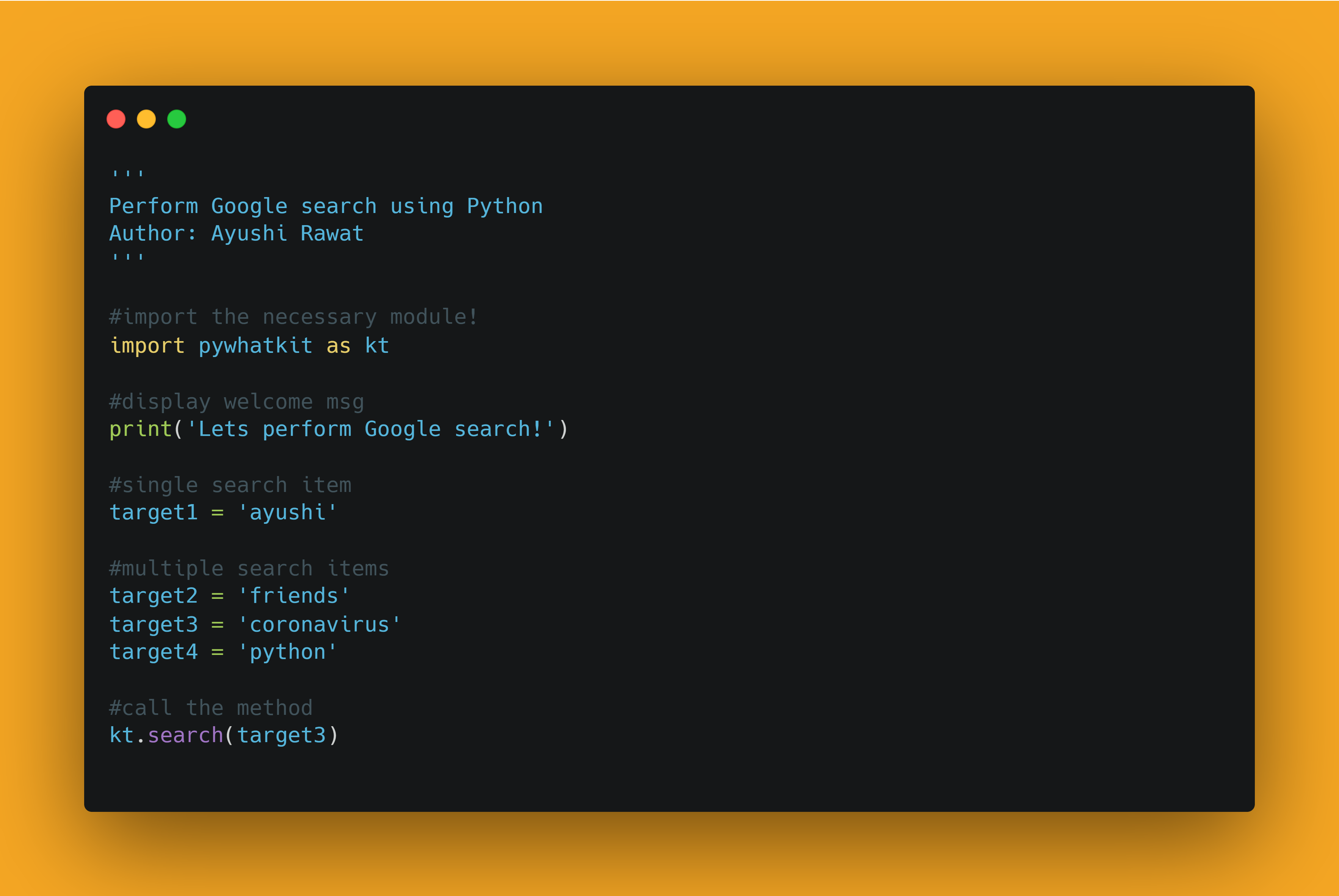 In order to access the Python library, you need to install it into your Python environment
pip install pywhatkit as kt
Now, we need to import the package in our python script. Use the following command to do so.
import pywhatkit as kt
Now that we have imported the library using the command import pywhatkit as kt, let's proceed.
Let's display a welcome message. we will make use of print method for the same.
print("Let's perform Google search!")
Be sure of what you want to search and once you decide, let's store it in target1.
target1 = 'coronavirus'
Finally, let's call search method.
kt.search(target1)
NOTE: If your browser window is open is already running, it will perform the search in a new tab otherwise will open a new window. Let's have a look at the output search result.
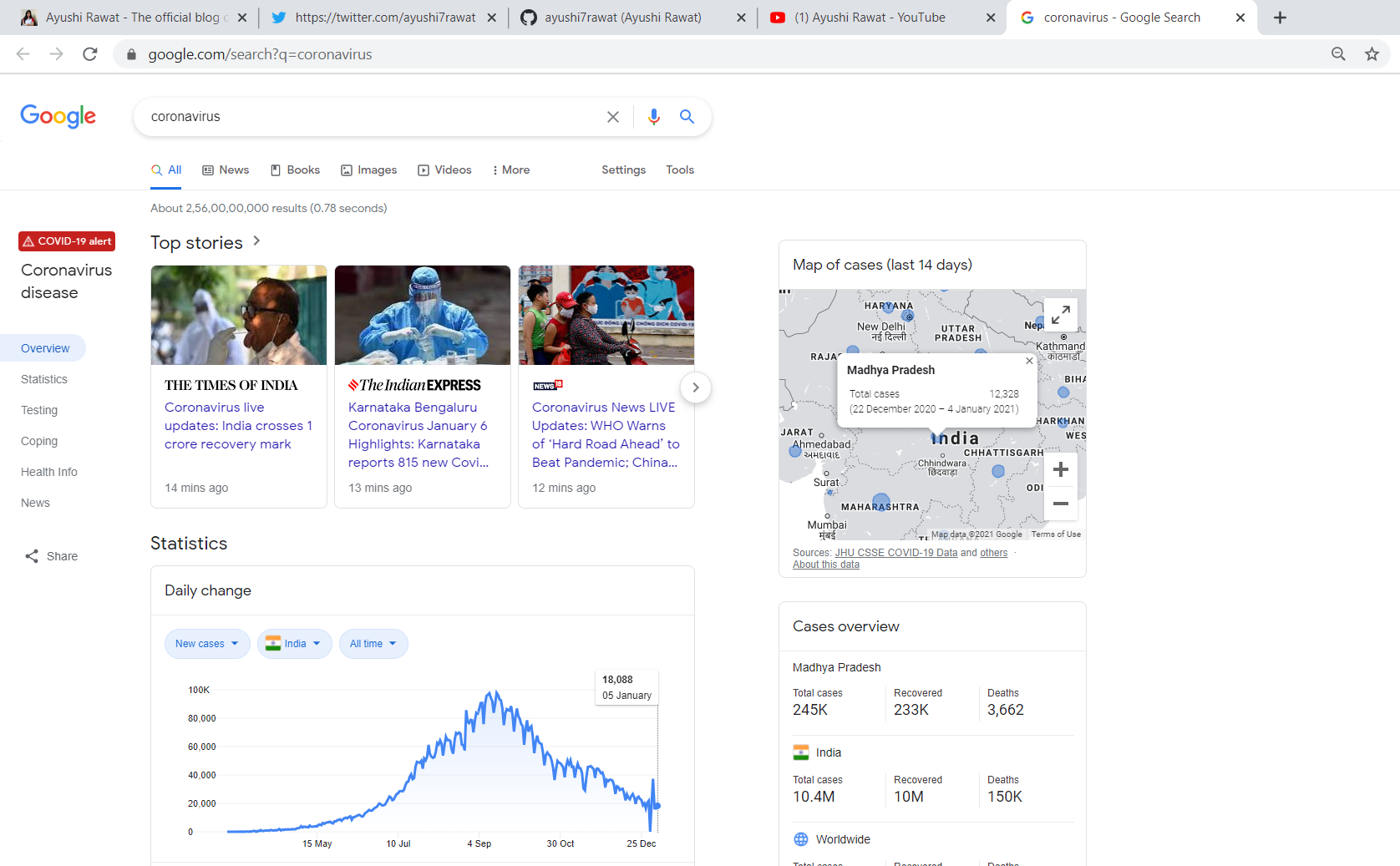
Let's have a look at another example and this time let's set multiple target items for the search operation. After post successful run, n new tabs will get opened, where n being the number of search items listed in the python script.
And with that, it's a wrap! With these steps, we have successfully Performed Google search using python. That's it! You can play around with the pywhatkit library and even explore more features. You can find all the code at my GitHub Repository. Drop a star if you find it useful.
Simple, isn't it? Hope this tutorial has helped. I would strongly recommend you to Check out the YouTube video of the same and don't forget to subscribe to my Channel.
I write about career, Blogging, programming, and productivity, If this is something that interests you, please share the article with your friends and connections. You can also subscribe to my newsletter to get updates every time I write something!
Thank you for reading, If you have reached so far, please like the article, It will encourage me to write more such articles. Do share your valuable suggestions, I appreciate your honest feedback!
I would love to connect with you at Twitter | LinkedIn.
You should definitely check out my other Blogs:
- Python 3.9: All You need to know
- The Ultimate Python Resource hub
- GitHub CLI 1.0: All you need to know
- Become a Better Programmer
- How to make your own Google Chrome Extension
- Create your own Audiobook from any pdf with Python
- You are Important & so is your Mental Health!
Resources:
- https://en.wikipedia.org/wiki/ASCII
- https://pypi.org/project/pywhatkit/
- https://github.com/Ankit404butfound/PyWhatKit
See you in my next Blog article, Take care
About the author
Comments
Join the discussionGreat post, but how men bond with a woman ?! therapist on our service do not write for free. Payment is required for subject matter therapists to begin order processing. If you need a free therapy, please visit our website with free therapy samples.
Technical Tutorial - Python Projects
The series content will mostly cover Technical Python tutorials and my recent learnings and experience in Python.