Jokes Generator with python

In this Blog article, we will learn how to Create Jokes Generator with Python. We will see the implementation in python.
Repository for Ultimate Resource in python. Drop a star if you find it useful! Got anything to add? Open a PR on the same!
You can refer to my YouTube video tutorial for better Understanding
What will be covered in this Blog
1. Pyjokes Introduction
2. Generating jokes with Pyjokes
Pyjokes Introduction:
Pyjokes is a python library for one line jokes for programmers (jokes as a service). You can get funny one-liner, mostly related to programming. This is a fun python library. It returns a random joke from the given category in the given language.
Supported Languages By Pyjokes
- English – ‘en’
- Spanish – ‘es’
- Italian – ‘it’
- German – ‘de’
- Galician – ‘gl’
- Basque – ‘eu’
Categories Included In Pyjokes
- For geeky jokes -’neutral’ (It is chosen by default)
- For Chris Norris Jokes – ‘chuck’.
- If you want all type of jokes – ‘all’
- There is one more category known as ‘twister’ which only works for the German Language (‘de’) and mostly includes tongue twister.
If you wish to know more about it, you can refer to Pyjokes Documentation. Use this link to navigate to the documentation.
Now that you are aware of Pyjokes basics, we can move forward to the coding section.
Time to Code!
You can find all the code at my GitHub Repository. Drop a star if you find it useful.
In order to access the Python library, you need to install it into your Python environment, use the following command to install pyjokes
pip install pyjokes
Now, let's import the package in our python script.
import pyjokes
There are two methods in pyjokes-
- get_joke()
- get_jokes()
1. get_joke()
It only returns one joke at a time. It is generated randomly.
Parameters – It has two parameters- language and category.
Return Type – It returns string type (str).
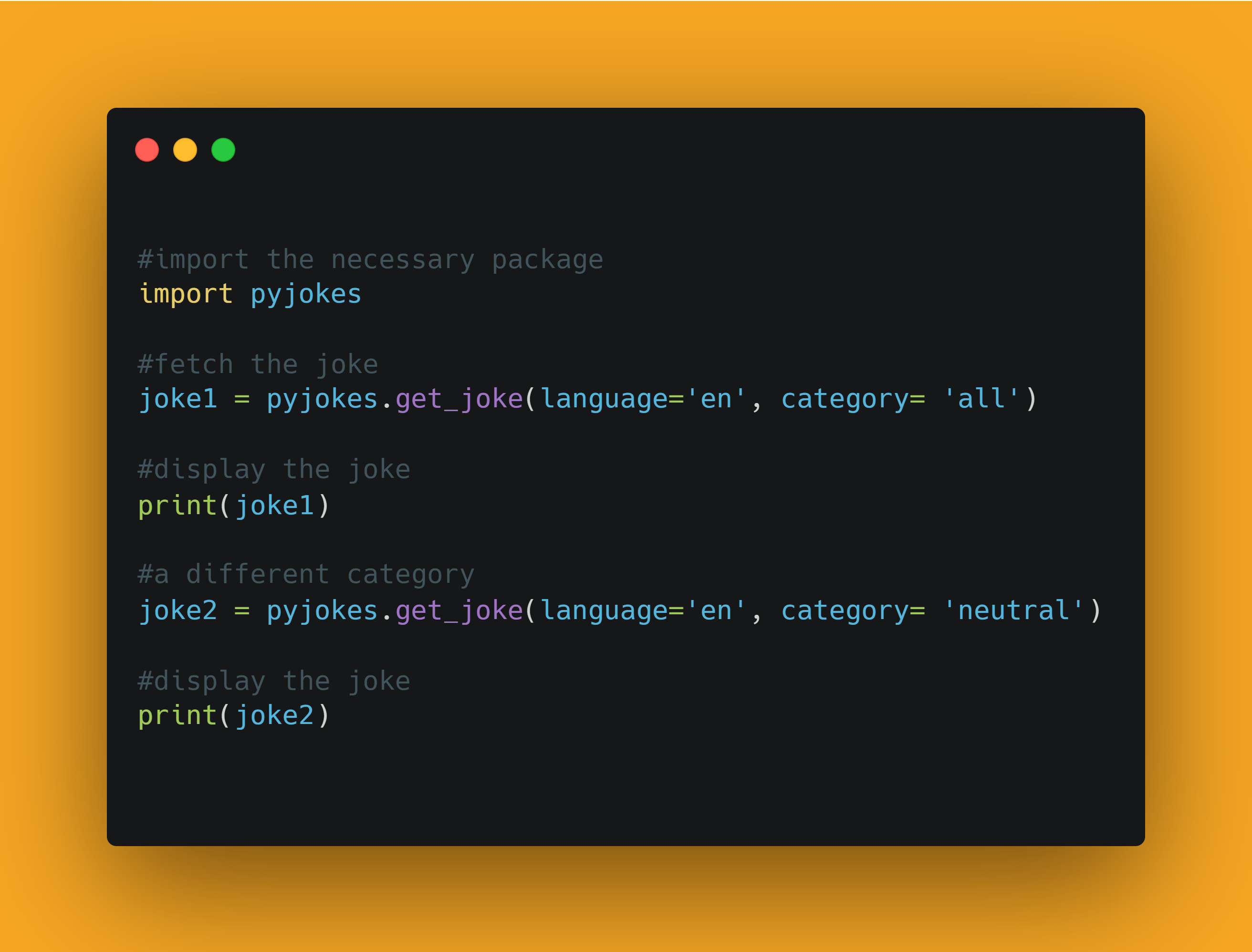
Now, let's retrieve the joke
joke1 = pyjokes.get_joke(language='en', category= 'all')

#display the joke
print(joke1)

#output:
#A programmer was found dead in the shower. Next to their body was a bottle of shampoo with the instructions 'Lather, Rinse and Repeat'.
Let's try a different category:
joke2 = pyjokes.get_joke(language='en', category= 'neutral')

#display the joke
print(joke2)

#output:
#There are 10 types of people: those who understand trinary, those who don't, and those who have never heard of it.
2. get_jokes()
It returns a list of jokes.
Parameter– The parameters are the same as above- language and category.
Return type– *It returns a list.
Now let's fetch some jokes.
jokes = pyjokes.get_jokes(language='en', category= 'neutral')

for i in range(5):
    print(i+1,".",jokes[i])
And you will get a list of jokes. You can alter the number the times the loop runs to fetch more number of jokes.
This is how you generate jokes. This is all about the generating jokes with Python. That's it! simple, isn't it? Hope this tutorial has helped.
You can play around with the library and explore more features and even make use of Python GUI using Tkinter.
You can find all the code at my GitHub Repository. Drop a star if you find it useful.
Thank you for reading, I would love to connect with you at Twitter | LinkedIn. I would recommend you to Check out the YouTube video of the same and don't forget to subscribe my Channel.
Do share your valuable feedback and suggestions!
You should definitely check out my other Blogs:
- Python 3.9: All You need to know
- The Ultimate Python Resource hub
- GitHub CLI 1.0: All you need to know
- Become a Better Programmer
- How to make your own Google Chrome Extension
- Create your own Audiobook from any pdf with Python
- You are Important & so is your Mental Health!
Resources:
- https://pyjok.es/
- https://github.com/pyjokes/pyjokes
- https://pypi.org/project/pyjokes/
See you in my next Blog article, Take care
About the author
Comments
Join the discussionHey people! Writers of https://expertpaperwriter.com/slader-review/ team can write your essay cheap and fast. Deadlines vary from 1 hour to 30 days, sometimes more, which mostly depends on the type of paper. An essay can be done within hours, while a dissertation could require up to 2 months to do well from scratch.
Awesome article
Thank you Sandeep Bonagiri, Glad you liked it!
Interesting to know that python has a library for jokes. Does python have a library for recipes as well? 😋
Thankyou DesignerAnna1
Cool keep this up and you will be the go to person for anything Python 😁
Thankyou Andrew Baisden
This was really super cool and fun package in python !! Thanks for sharing the knowledge....
glad you liked it
Love it
Thank you