Create Desktop Notifier using Python

In this Blog article, we will learn how to send Desktop notifications . We will see the implementation in Python.
Repository for Ultimate Resource in python. Drop a star if you find it useful! Got anything to add? Open a PR on the same!
You can refer to my YouTube video tutorial for better Understanding
What will be covered in this Blog
1. Desktop Notification Introduction
2. What is Plyer?
3. Create a Desktop Notifier
Desktop Notification:
Dictionary defination:
the action of notifying someone or something.
The Purpose:
The purpose behind a notification is to inform about an event and encourage him to take action.
Notifications help people to remember things. It is a small piece of text which appears on the desktop or mobile screen to inform the user about the updates or any other important pieces of information.
What is Plyer?
Plyer is a Python library for accessing features of your hardware / platforms.
If you wish to know more about it, you can refer to Plyer Documentation. Use this link to navigate to the documentation.
Other areas where you can use this approach
- Set daily tracker for COVID stats
- Daily notification to take medicine.
- Hourly notification to drink water.
and many more, it’s completely up to you how to use this application.
Now that you are aware of Desktop Notification and Plyer basics, we can move forward to the coding section.
Time to code!
You can find all the code at my GitHub Repository. Drop a star if you find it useful.
Installing Plyer
Open your terminal and run the following command
pip install plyer
Now that we have the package, we are ready to import it in our python script.
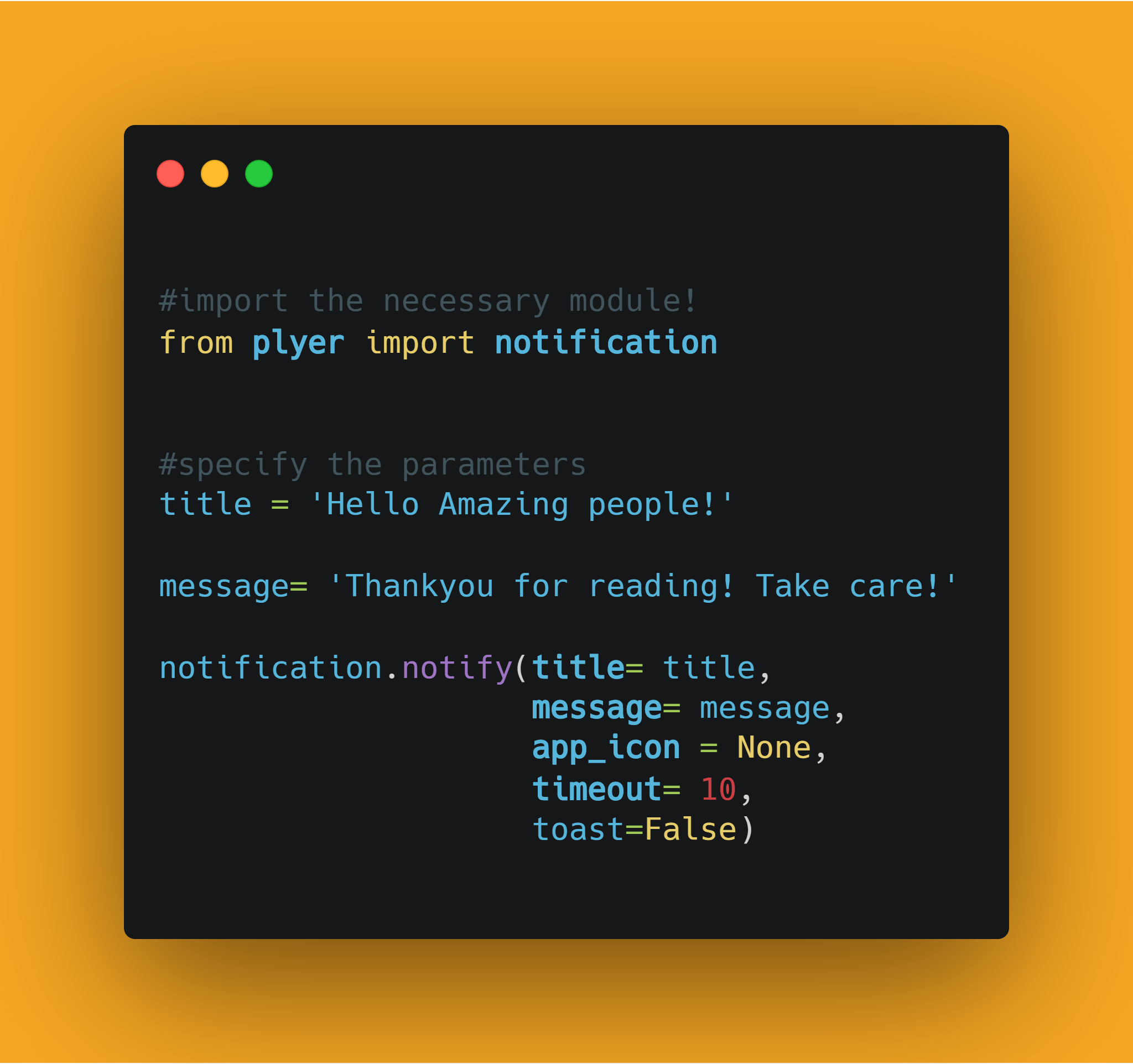
from plyer import notification
Now let's specify the parameters. Lets define the title and message.
title = 'Hello Amazing people!'

message= 'Thankyou for reading! Take care!'
Let's look at what the parameters mean:
title: Title of the notificationmessage: Message of the notificationapp_name: Name of the app launching this notificationapp_icon: Icon to be displayed along with the messagetimeout: time to display the message for, defaults to 10ticker: text to display on the status bar as the notification arrivestoast: simple message instead of full notification
Now, let's pass the parameters using notify method.
notification.notify(title= title,
                    message= message,
                    app_icon = None,
                    timeout= 10,
                    toast=False)
I am passing:
- the
titleas `'Hello Amazing people!'`` `messageas'Thankyou for reading! Take care!'app_iconasNonetimeoutas10 secs- and
toastasFalse.
That's it! We are done. Now let's save and run our python script.
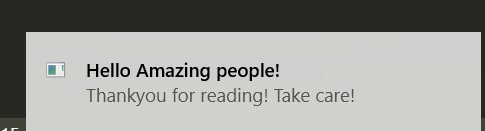
Here is our desktop Notification. Simple, isn't it? Hope this tutorial has helped.
You can play around with the library, explore more features and even customize it further.
You can find all the code at my GitHub Repository. Drop a star if you find it useful.
Thank you for reading, I would love to connect with you at Twitter.
Do share your valuable feedback and suggestions!
You should definitely check out my other Blogs:
- Python 3.9: All You need to know
- The Ultimate Python Resource hub
- GitHub CLI 1.0: All you need to know
- Become a Better Programmer
- How to make your own Google Chrome Extension
- Create your own Audiobook from any pdf with Python
- You are Important & so is your Mental Health!
Resources:
- https://plyer.readthedocs.io/en/latest/
- https://github.com/kivy/plyer
See you in my next Blog article, Take care